
How it works
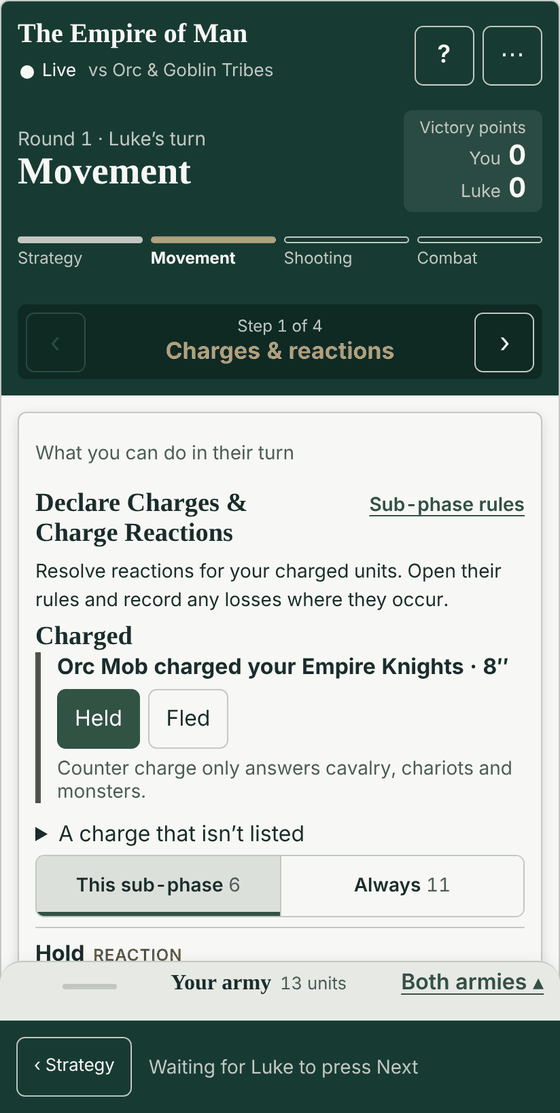
Join on your own phone
Start a battle and show the code. Your opponent scans it with their phone camera, or types the six characters under it. Each of you records your own army on your own phone.
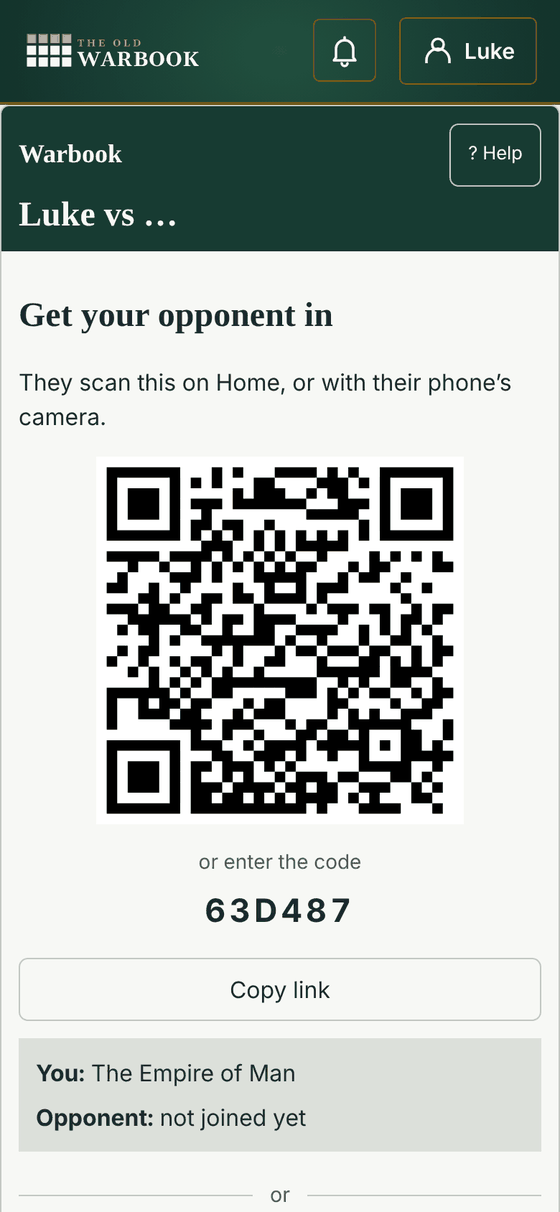
Pick your armies
Choose your list, the kind of game and the scenario. Your opponent picks their own list when they join, so nobody types in the other army.
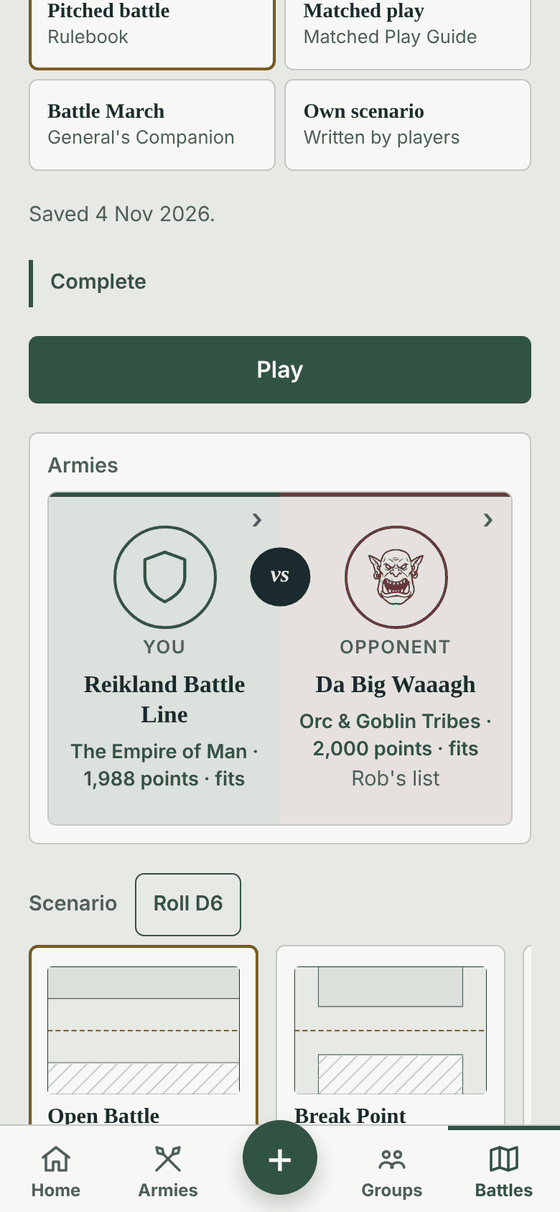
Guided or Veteran
Guided takes you through each step of every phase. Veteran puts the whole phase on one screen: its buttons, its tools and your army, with the units that can charge or shoot first. You can change it at any time in the game.
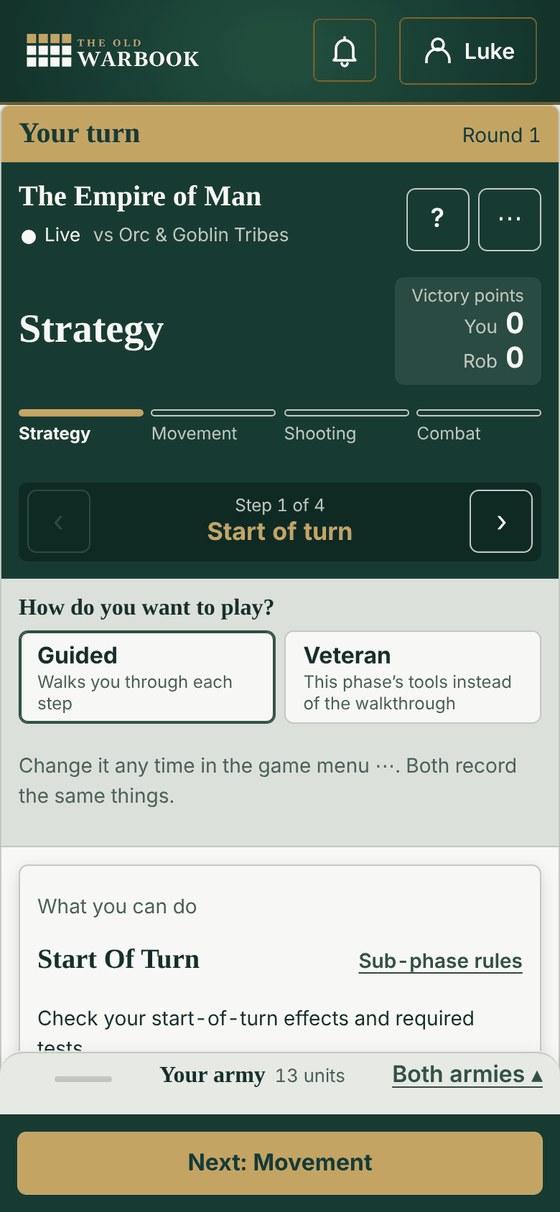
Their phone follows your turn
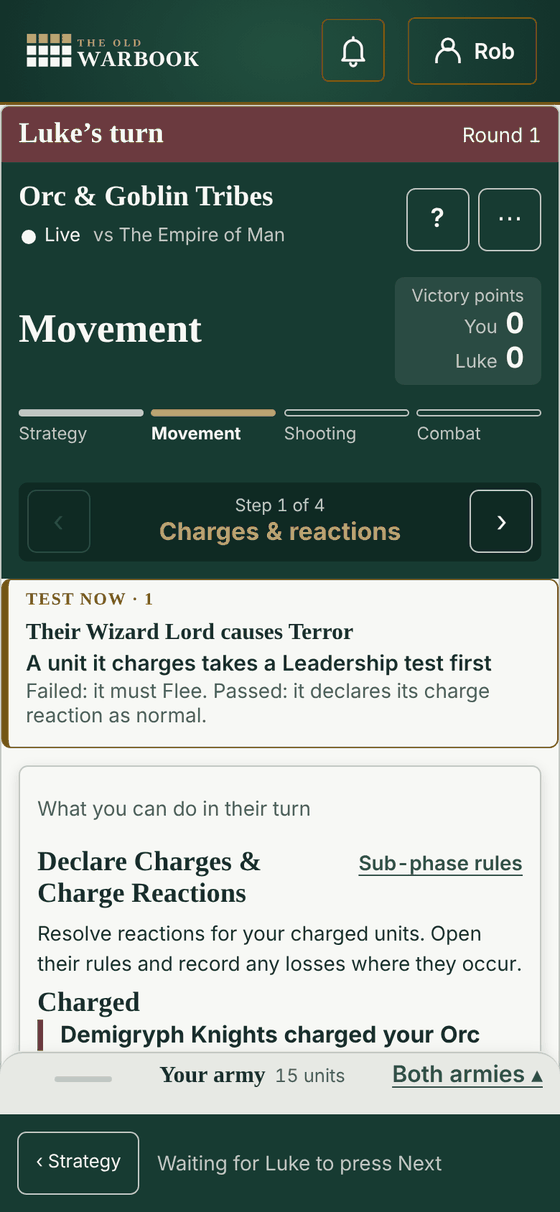
Both phones show the same turn, phase, casualties and victory points. When you declare a charge, it shows on your opponent's phone, with the tests they must take and the reactions they can choose. If you tap the wrong thing, tap Undo.
Shooting
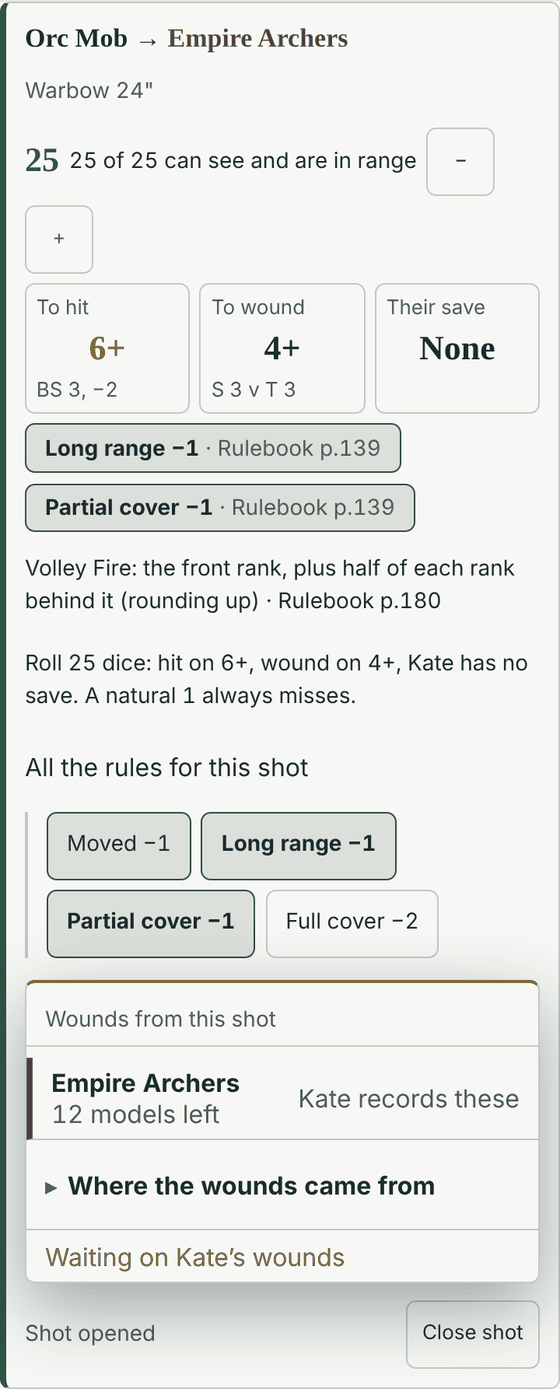
Choose the unit that shoots and its target. The app shows how many dice to roll, the score to hit, the score to wound and the target's save. Each modifier shows its rulebook page. The app tells you when a unit must take a Panic test.
Templates
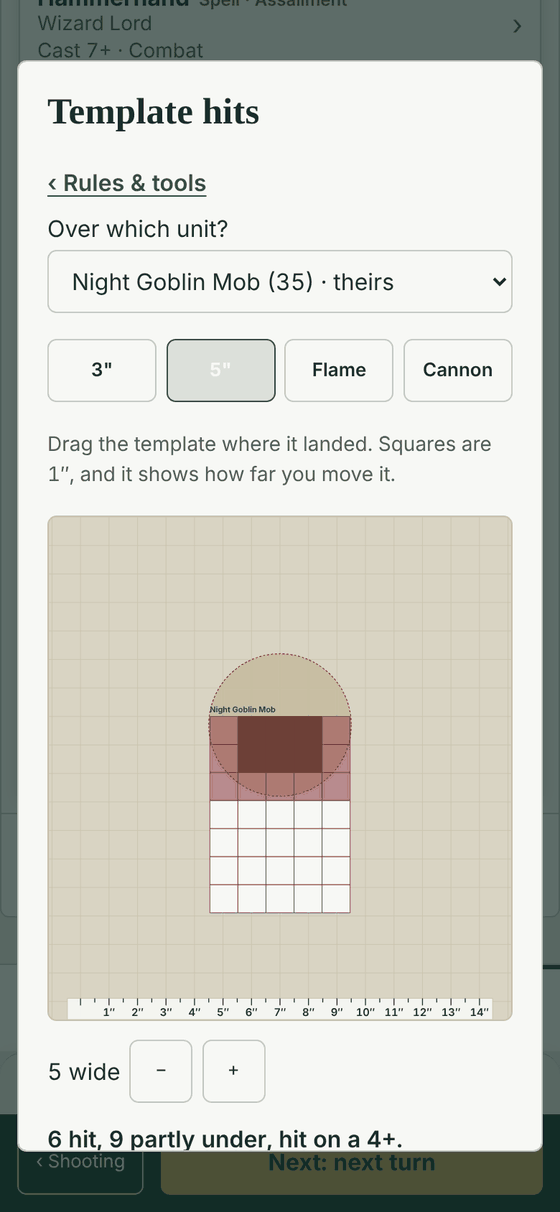
Stone throwers, cannons, flamers and other template weapons open on a map. Drag the template to where it landed. The app counts the models under it, and the models partly under it that are hit on a 4+.
Magic
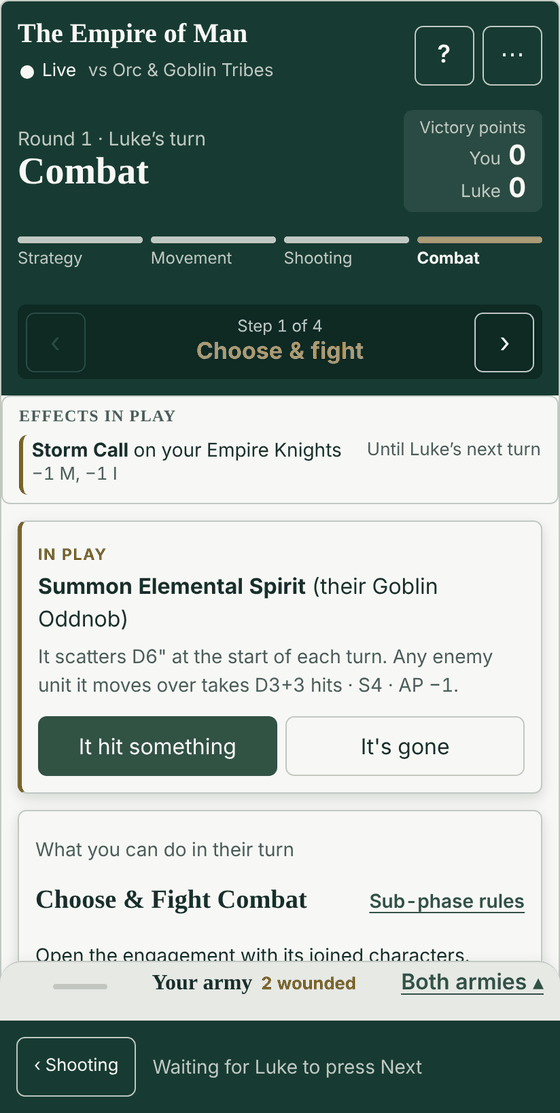
When a magic missile or a magical vortex works, tap each unit that it hit. Then tap how many models or wounds each unit lost. A vortex that stays on the table shows on both phones until it goes. Hexes and enchantments show on the units that they affect, with what they change and when they end.
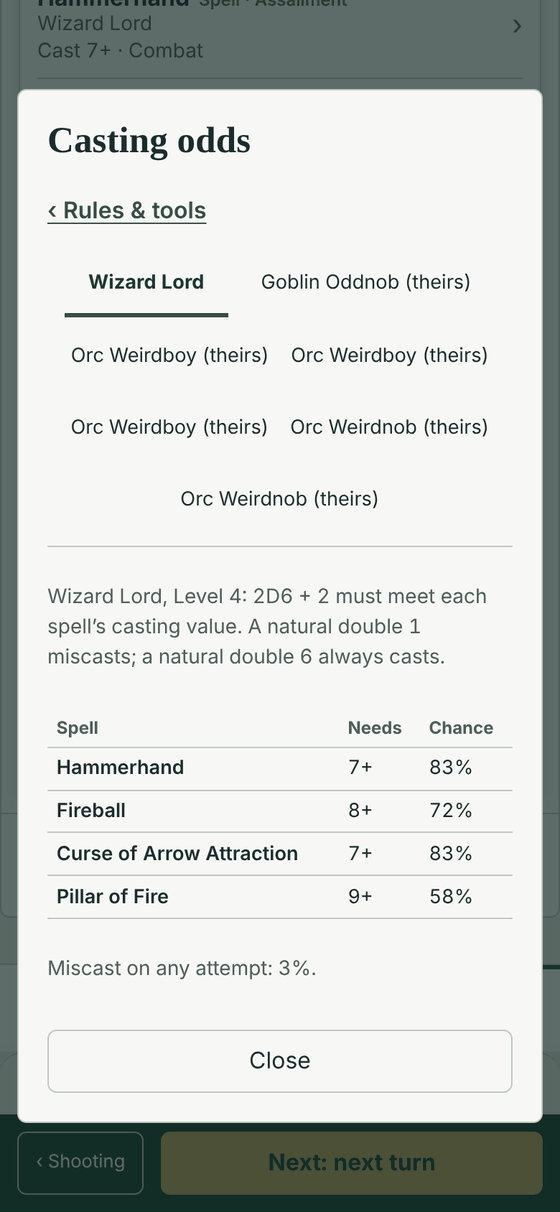
Casting odds and tables
See the chance to cast each spell your wizards know. The miscast and misfire tables for both armies are with the other tools, one tap away.
Combat
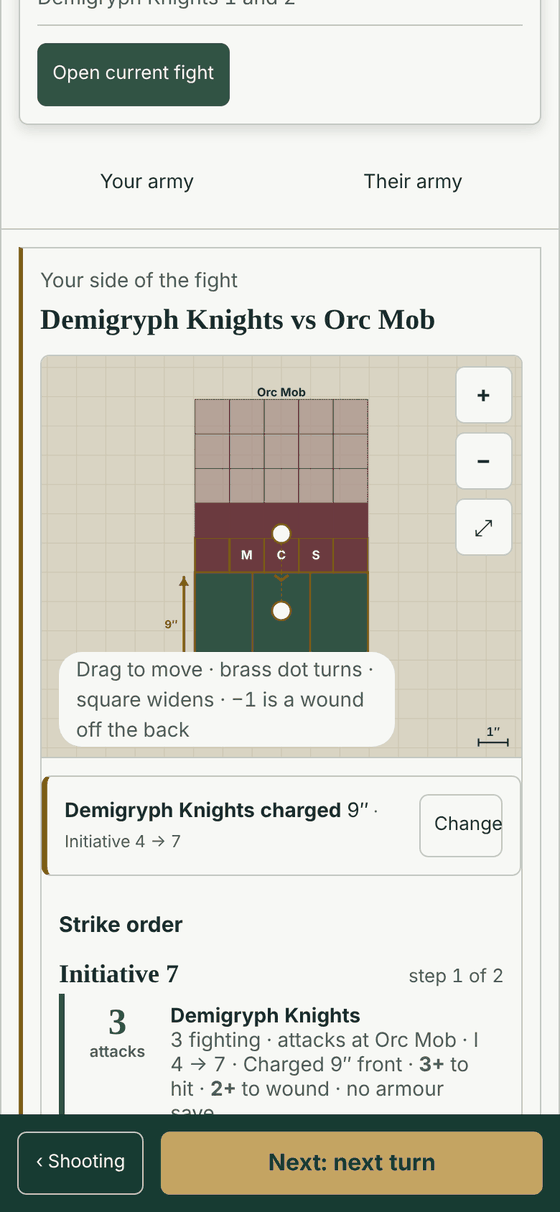
Move the units on the map so they match the table, however many are in the fight. The app shows who fights, the order they strike in, and the scores to hit and to wound. Both phones move to the next Initiative step together, so you remove casualties before the next unit strikes back.
Combat results and break tests
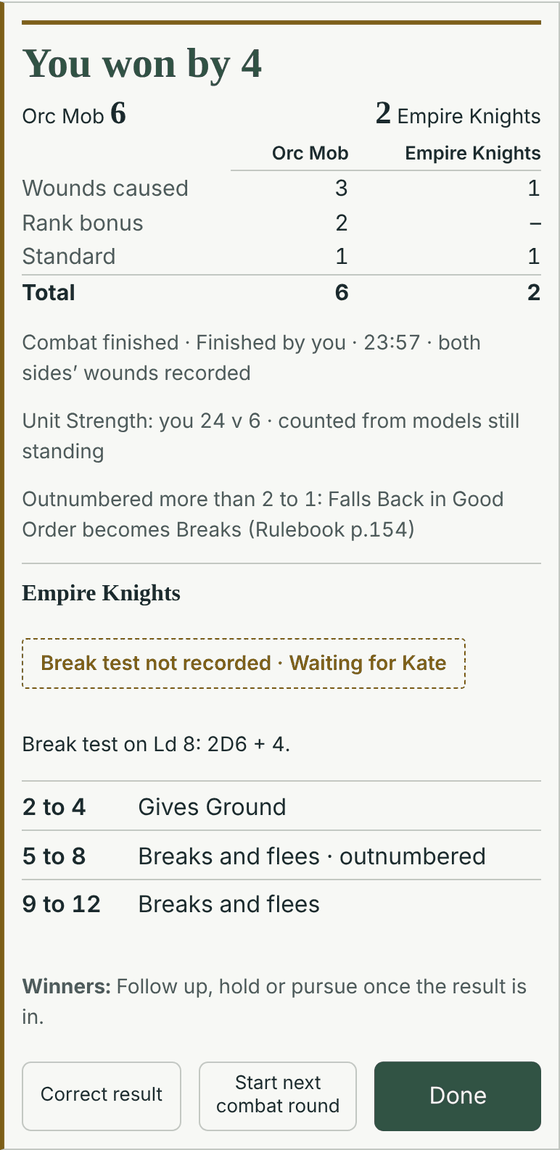
Enter the wounds, and the app adds up the combat result. It shows each side's score by reason: wounds caused, rank bonus, standard and the other bonuses. Each unit on the losing side takes a break test on the correct Leadership, and the app shows what each roll means.
Print your cheat sheet
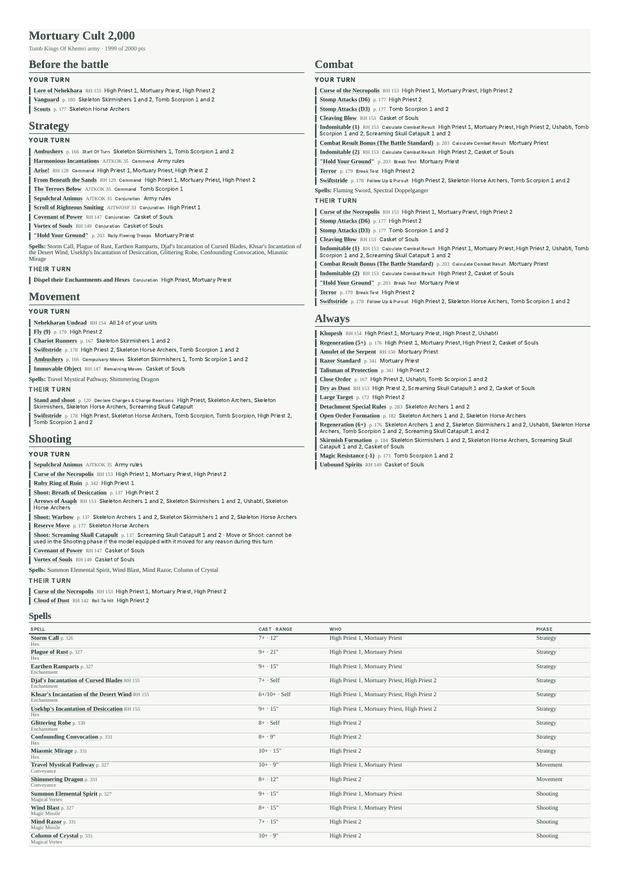
Not everyone wants a phone on the table. Any list in the app prints as a cheat sheet on A4: what each unit does in each phase, the unit profiles, the roll tables and the army's special rules from A to Z.
On Armies, open a list's menu and choose Cheat sheet, then Print or save as PDF. The same sheet opens on your phone, one phase at a time.
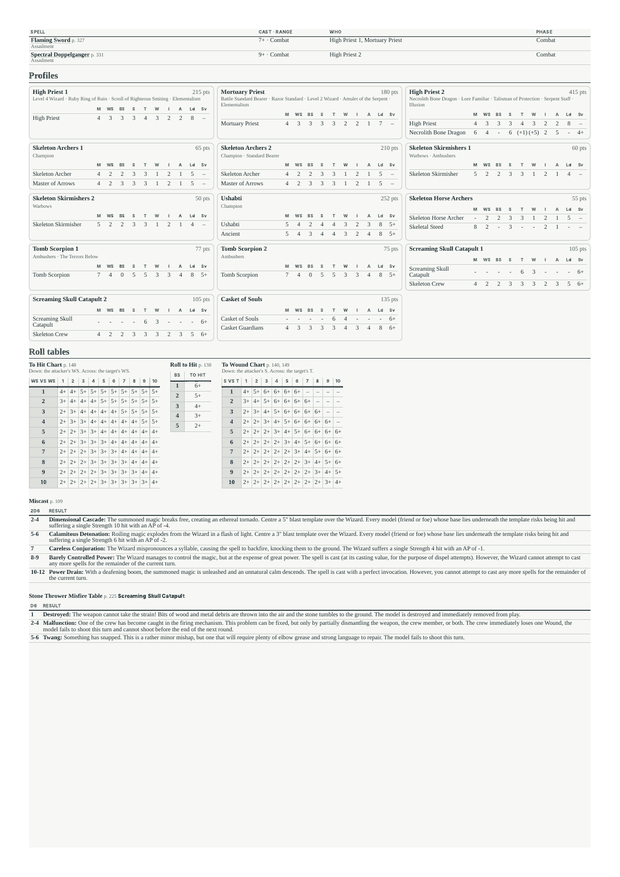
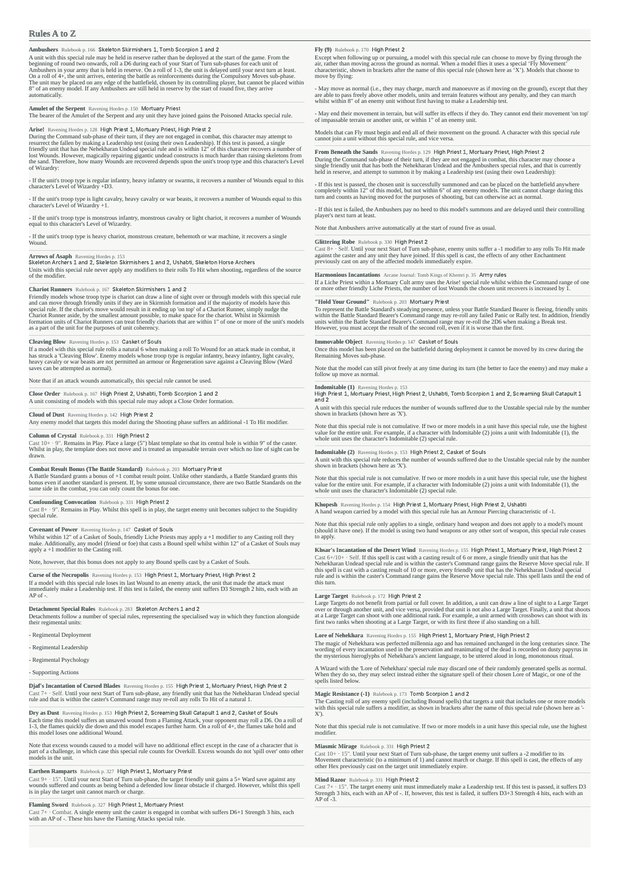
It also has
- Spells and spell cards for each wizard. You choose them before the first turn.
- The actions for each step of every phase, with the rule for each action.
- Profiles and rules for both armies.
Questions
- Does my opponent need a list in the app?
- No. Look up their units to see profiles and rules. If they build a list in the army builder, they can add it later.
- Can I use the combat helper without a game?
- Yes. Open Battles, then Combat helper. Pick the units that fight and start.
- What happens to the game afterwards?
- The game stays with your gaming group. A campaign battle sends its result to the campaign.
- Do I need to install anything?
- No. The app runs in the browser on your phone.
Use it at your next game
Open the app